GPT Live-1 Voice Astrology: Talk to Nova in Real Time
Ask Nova astrology questions by voice, create a birth chart or Janam Kundli, and review details before payment with GPT Live-1 on Artistic Birth Chart.
You can now talk to Nova in real time on Artistic Birth Chart, using GPT Live-1. Ask how a birth chart works, get help choosing between Western astrology and Janam Kundli, or provide your birth details conversationally instead of typing everything into a form.
The benefit is a shorter path from a question to the next useful step. You can ask a follow-up immediately, correct a misunderstood birthplace, and continue the same conversation. Complex calculations and chart creation still take processing time; voice does not make every answer instantaneous.
Open Artistic Birth Chart and choose Live voice to try it, or explore the available Nova passes.
What GPT Live-1 brings to Nova
OpenAI describes GPT Live-1 as a voice model that can listen and speak at the same time and hand deeper reasoning or actions to connected tools. That supports a conversation in which you can interrupt, clarify a detail, or change direction without waiting for a rigid question-and-answer sequence.
On our website, the voice conversation connects to the site's own workflows. Nova can help you find features, understand chart terminology, and move through supported chart creation. Your question may involve a calculation or account check behind the scenes; the voice itself is the way you interact with that process.
How to start a voice conversation
- Open Artistic Birth Chart and select Live voice, or choose the talk option in the Universe experience.
- Simply speak in your language: Automatic matching is the default, with no language selection required. Optional preferences include Gujarati, Hindi, Hinglish, French, Spanish and more.
- Tap the start button and allow microphone access when your browser asks.
- Speak naturally. You do not need to hold down a microphone button.
- Use End call when you are finished.
During the call, the interface identifies whether Nova is listening, speaking, or your microphone is muted. Expand Conversation to read captions. Type instead lets you enter a question or correction during the same voice session—useful for a difficult spelling or a noisy room.
Minimizing leaves a compact call bar with a return button. It does not end the session. Muting also leaves call time running, so check the remaining-time indicator and end the call when you no longer need it.
Speak your language while keeping chart details clear
You can ask, “Please continue in Gujarati,” “Parlons français,” or “Hablemos en español.” Automatic mode follows a clear question or request in another language. A name, city, accent or borrowed word alone should not change the conversation language. The Language control also lets you change your preference during an active call.
Conversation language does not change the website or your purchased report. The website has English, Hindi, Spanish and Portuguese locales; reports currently offer English, Hindi, Hinglish, Spanish and Portuguese. For example, you can discuss your details in Gujarati and choose an English or Hindi report. French conversation does not mean every form or downloadable report is available in French.
Names and places can use their original script. Nova should clarify ambiguous dates, local times and cities, then read back the verified details in your conversation language. Check captions and the review before confirming. Fluency, pronunciation and recognition can vary by language, accent and microphone; if something sounds wrong, spell it or type a correction.
Questions worth trying
Start with a clear intention rather than trying to guess a command:
- “What is the difference between a Western birth chart and a Janam Kundli?”
- “Help me create my Janam Kundli.”
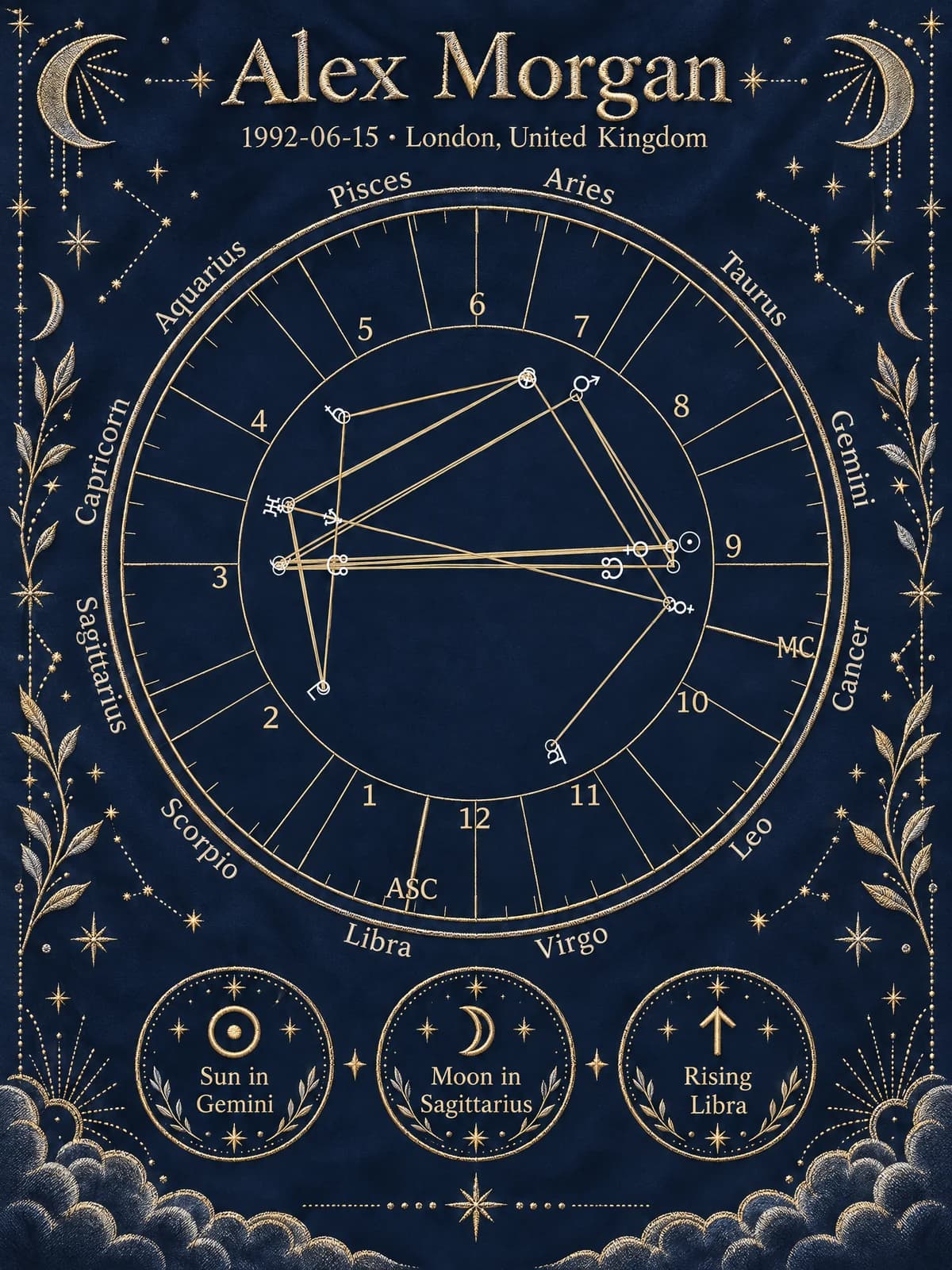
- “Explain what the rising sign means.”
- “Which themes are available for a Western birth chart?”
- “I meant 6:30 in the evening, not the morning. Please correct that.”
These are suggested prompts, not a transcript of a customer session. Available personal answers depend on your chart, purchase, and current voice allowance.
Create a birth chart or Janam Kundli by voice
Tell Nova which chart you want first. Western birth charts and Vedic Janam Kundli use different conventions and artwork choices. Naming the chart type helps keep the conversation on the right path. Our birth chart and Kundli comparison explains the distinction.
Next, provide the requested birth information, including date, local birth time, and birthplace. Speak the month in words if a numeric date could be ambiguous. Include the state or country when several places share a name.
Before creation, Nova presents a review of the captured details. Check the spelling, AM or PM, location, chart type, and theme. You can correct them aloud, type a correction, or say “Yes, create my preview” after verifying the review. For supported single-person Western and Vedic charts, the flow can submit the details and open the preview without requiring you to fill the form yourself.
Payment remains a separate checkout step. Voice does not bypass payment or unlock paid readings before purchase. Couple and gift workflows may still direct you to their dedicated forms.
Faster help still needs accurate inputs
Voice removes typing effort, but speech recognition can mishear names, numbers, and locations. The on-screen review is especially important for birth time: a small input mistake can affect the calculated chart.
For personal chart questions, the relevant calculation and access checks matter more than how confident the voice sounds. Read our AI Kundli reading quality guide for questions that help distinguish chart-based explanations from generic answers. Astrology can provide a framework for reflection; Nova does not guarantee future events.
Free trial time and paid access
Eligible visitors can try a limited free voice allowance. Longer use depends on your plan or chart benefits, and paid personal details remain subject to the same access rules as the website. Check the current balance in the voice panel and the pricing page rather than assuming a call is unlimited.
Ready to try it? Start on the homepage, tap Live voice, and ask Nova one question you would otherwise type. When you are ready to choose artwork, see how GPT Image-2.5 supports our artistic chart workflow.
Frequently Asked Questions
Can I create a Janam Kundli by voice?+
Yes. Tell Nova you want a Janam Kundli, provide your birth details, choose a Vedic artwork theme, and confirm the on-screen review. Supported single-person chart creation can continue to a preview by voice. Payment still uses the normal checkout.
Can I speak Gujarati, Hindi, French or Spanish with Nova?+
Choose Automatic or a preferred conversation language, including Gujarati, Hindi, Hinglish, French and Spanish. You can also ask Nova to switch during a call. Speech quality varies by language. Website and report languages are separate: reports currently support English, Hindi, Hinglish, Spanish and Portuguese. Always check the birth-detail review.
Is voice astrology free?+
A limited free voice allowance lets eligible visitors try Nova. Additional usage and personal chart features depend on the active pass or chart purchase. The interface shows the current allowance and remaining call time.
Does minimizing or muting stop the call?+
No. Muting stops your microphone input, while minimizing keeps the call available in a compact bar. Use End call to stop voice usage.
Bring the reading back to you
Where does your own story begin?
Explore a personal preview based on your birth date, time and place. See your Sun, Moon and Rising, then decide whether you want the complete reading and your chosen chart artwork.
- Calculated birth chart
- Personal insights
- Preview before purchase
Your preview is free. The full reading, artwork and downloads are available as a one-time purchase.